

Entering Charges From Batch Charge Entry
The simplest way of entering multiple charges in one screen will be detailed in the next screen shot.
ZH OpenEMR created a simplest way of entering multiple charges in one screen. To enter multiple charges, Click onBatch Charge Entry button from Billing Manager, Where it has an option to enter 4 charges in one screen.
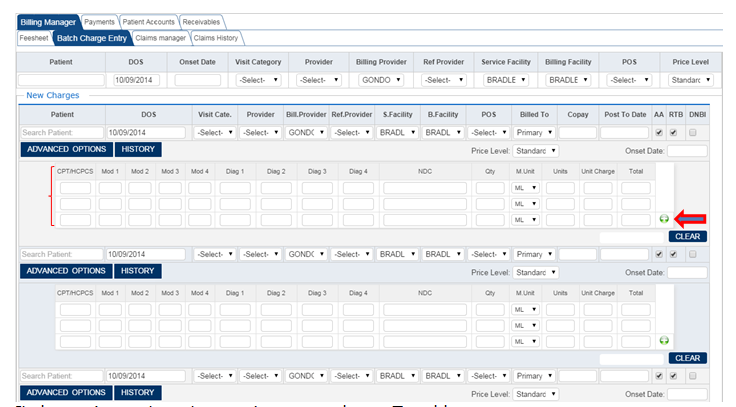
It shows 4 rows to enter services procedures. To add more rows
Once you enter all the required field for the encounter/claim. It will be queued for QC.