Claims Manager
ZH OpenEMR’s Advanced Billing (ABM) optimizes the system to show-up all the claims. This enables to view all the action codes in a single screen.
Charges entered in the system and flagged to bill will be visible in the below screen
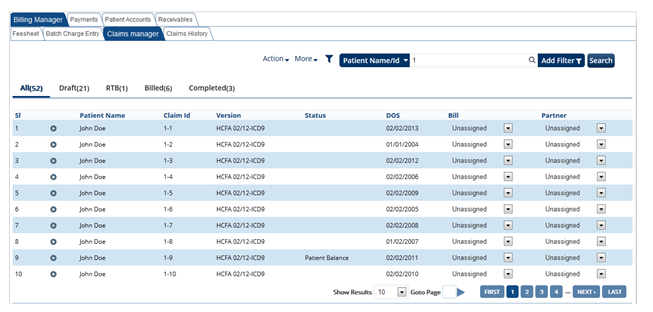
Search option helps the user to cutomize their search as needed.
List of status codes which are shown in the below search option screen, helps the user to generate the claims that required action.
Clearing house is being integrated with the system for the practice or clinic will be listed in the drop down box. User can select as per their requirement of the claims from different clearing house as per the need. This also helps the user to identify from which clearing house the claims was sent and work on those claims.
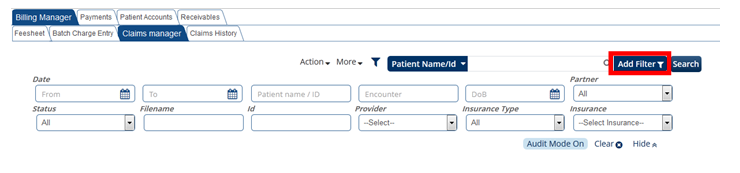
Below is the representation screen to search claims associated with partners for the practice. Click on Add Filter and enter the required fields to search.