Mapper
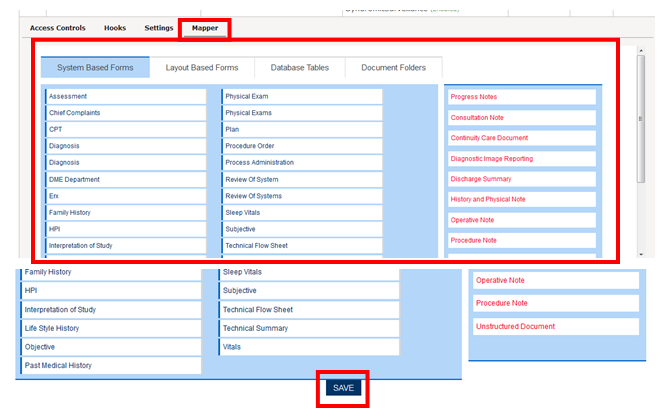
The Mapper helps the user to add forms, database tables, and document folders to each section seen on the right side of the screen in the above screen shot. Once the respective forms have been allocated to the sections, click on save so that these forms are sent to CCDA.
Eg: If the user wants to add Camos, CPT, DIAG to the Discharge Summary, user needs to drag each forms to the section. These forms get saved in each respective sections so that it is send to CCDA.