

Getting to the module
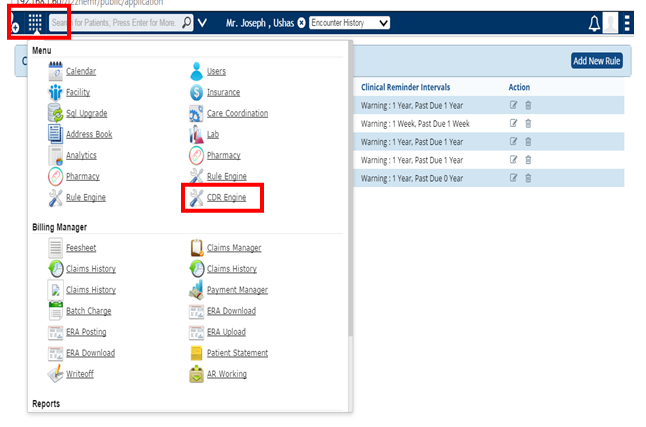
Access the CDR Engine by clicking the icon on the top left side of the screen and find the CDR engine in the drop down box as shown.
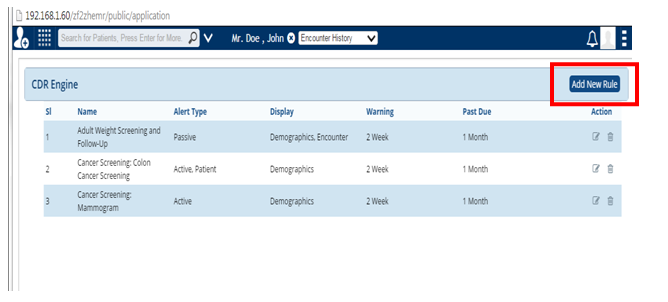
This brings you to the page with the CDR engine, with an already predefined set of clinical reminders. You also have the option to Add New Rule.
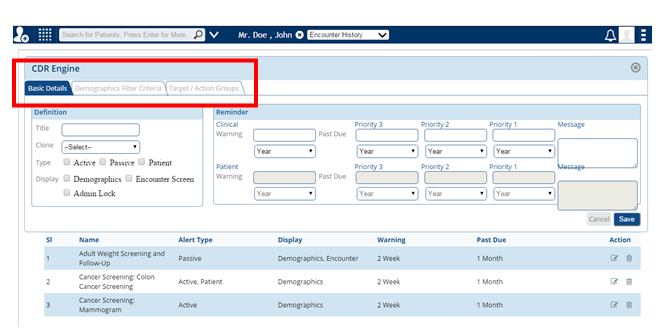
When you click Add new rule, a window opens under the headings
- Basic Details
- Demographics Filter Criteria
- Target /Action Groups
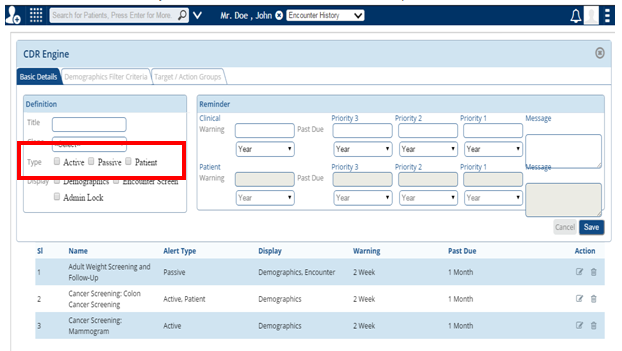
In the Basic Details, Reminders can be set as Active, Passive and Patient
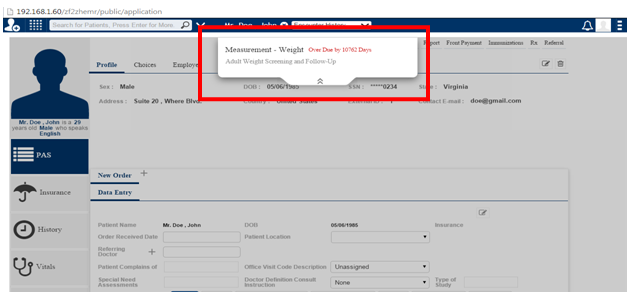
Active Reminder – Shows as an Alert screen on the patient’s page as shown below.
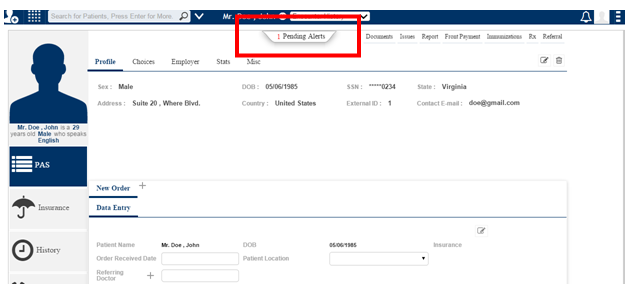
Passive Reminder – (N) Pending alerts show many alerts for the patient when the Pending Alerts button as shown below, is clicked.
Patient Reminder – A reminder is sent to the patient either as a text message or via email.
When you click Add new rule, the following window opens under the headings: