

Basic Details
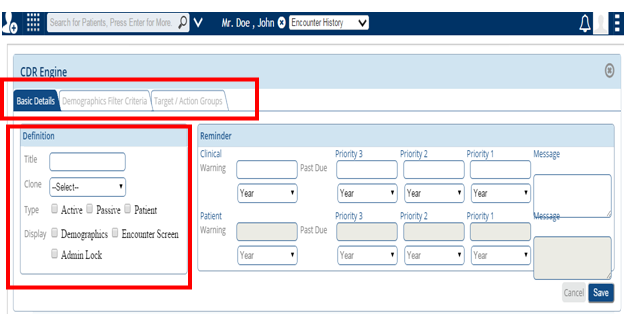
Under the Basic Details you can enter the definition under:
Clone: to take the clone of existing rule.
Title: Name of the new rule.
Type: Active, Passive & Patient.
Display: – This shows where you want to display it under – Demographics or Encounter Screen.
Admin Lock :- Only the privileged users can edit or delete the rule if admin lock is checked. Privileges can be set from module installer screen.
The Clinical Warning and the Patient Warning options can be found under “Reminder” as shown below .Once you are done entering all the details, you can click SAVE to save your work.
Reminder Settings: In the reminder settings, there are three priority levels
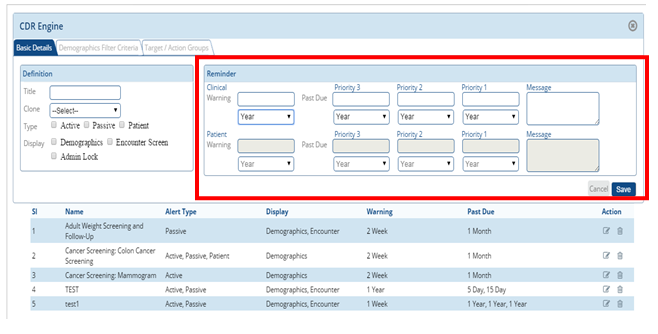
Clinical Warning: The clinical warning date can be set either as year, week, month or day
Priority 3, 2 & 1: Priority dates can be set and serve as reminder after the set date if no action is taken.
Message: This is where you can enter the message you want to display.