Settings

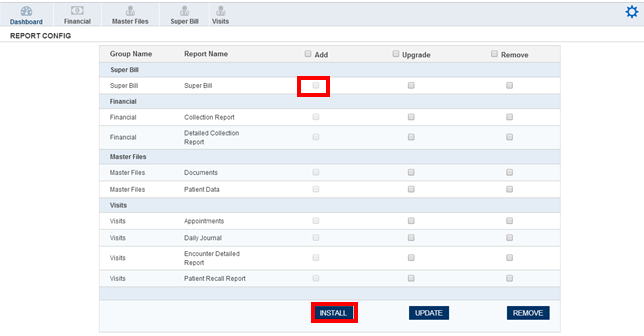
The Settings option pops upon clicking the area marked above, which allows you to add, upgrade or remove certain options from the list. Once you click on the Settings option you will receive a pop up shown with the details of the current options available in the reports. Beside the report you will have the Radio button which can be selected to make changes.
Clicking on the Radio button marked above and then clicking on the Install button will install the ‘Super Bill’ report. Similarly you can upgrade or remove the report from the main analytics screen.