

Dashboard
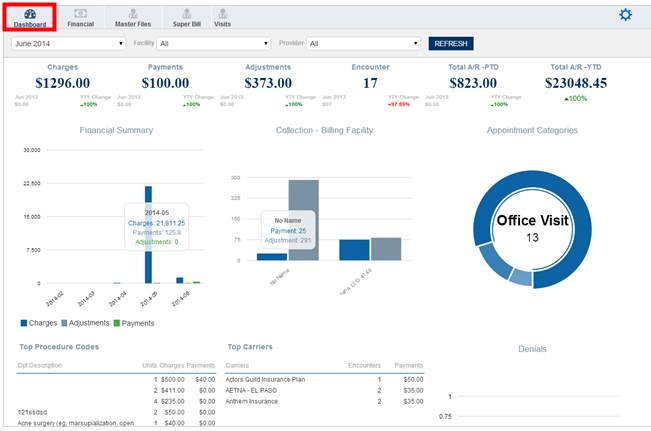
Once you are in the Analytics module, you will be directed to the ‘Dashboard’ screen. Here you can view information regarding patient’s charges, payments, adjustments and encounters. In the dash board current year’s information is highlighted and the previous year will show right below the current year’s data. You will also get the graphical presentation of the Financial Summary, Collection and appointment categories. You can also check the data based on year, facility or provider. Below is an example for the dashboard layout.
The dash board is further divided into charges, payment, adjustment, encounter, total A/R-PTD and total A/R- YTD. You will also find the chart summary for the financial, appointment categories, top procedure codes and top carriers.