

Access Control
The Access Control enables the user to define access rights to the Module.
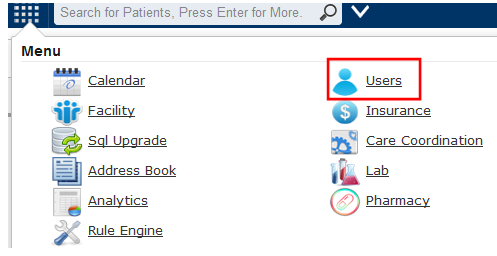
This gives users the rights to the administrators, other users such as Clinicians, Physicians etc under the USER module as shown.
Add new user by clicking the add user icon, fill in the details
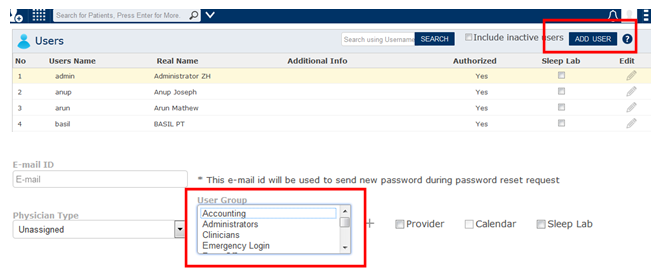
The Users added here will be shown under the Access controls.
Individual users access can be Allowed and Denied.
In the example stated below, the Administrator has access to the entire Care Coordination and Send to HIE module, whereas, the Clinicians do not have. The user can also define access to sub components alone from this window
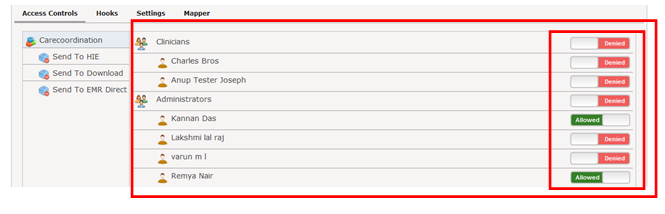
The two user groups defined in the EMR are the Administrators and Physicians. ‘Care Coordination’ is the main module in this tab. The ‘Send to HIE’ column here is a component under the Care Coordination module