

Adding Or Editing Codes
To add a new code enter required information in the field as shown in below screen,
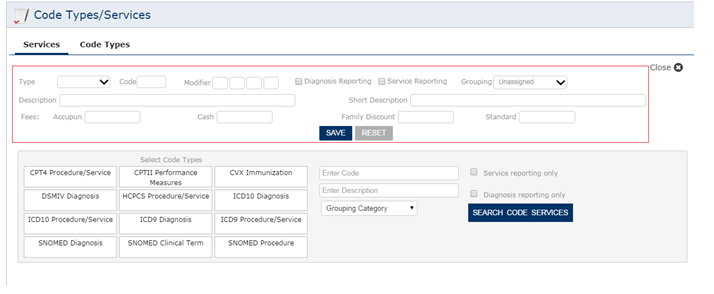
Follow the steps below to add a new code and to update existing code,
- Select the type of code.
- Enter a new code.
- Enter the modifier if required
- By default Active box will be checked
- Enter the description for the code.
- Select the category for the procedure.
Note: See the module “How to add visit category” (We have to use numbering to help user in finding the modules listed in the Quick tips in the website)
- Check the box, if the procedure code is reportable for MU.
Updatebutton shown in the above screen is to update information on the existing code.
Add as New button is to add a new code to the list.