

Adding Session Information List
In order enter new information to be populated in the Setting Tab list (described in Section 2.3) click on the Add New button highlighted on the below screen.

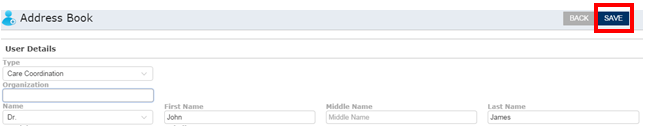
As shown in the below screen shot, an entry interface pops up. Enter the relevant information in respective fields and hit the save button to create a new entry.
Note: The type needs to be selected as Care Corodination Module for the linkage to be setup properly with the setting screen as show in section 2.3
The sessions created in the address book lists out in setting tab under Manage Module.