

Configuring the Care Coordination Module
The user can install the Care Coordination module from the setting shown below. Click on Setting -> Module Installer
Note: The Care Coordination Module needs to be installed from the Manage Modules setting, for further assistance refer module installer- Help Document
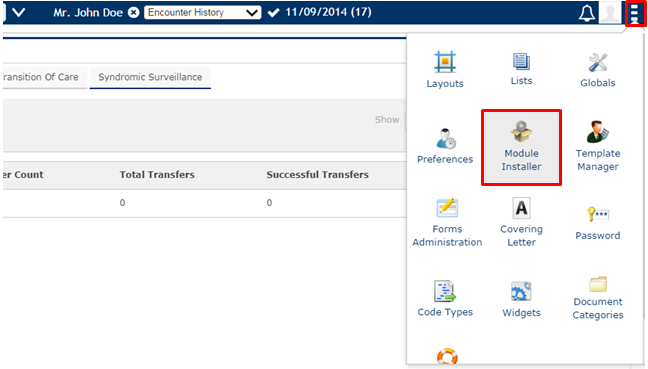
On Clicking the Manage Modules the screen shown below populates. Before configuring the Care Coordination module the user needs to make sure that the module is enabled.
Note: Refer module installer-Help document on how to install Care Coordination module.
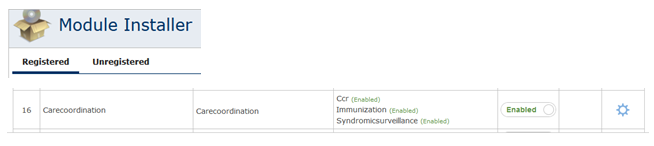
To configure Care-Coordination module, Click on the Settings symbol Disable placed adjacent to the button, as shown in the below figure. This will take the user to the ‘configuration screen’ also depicted below.
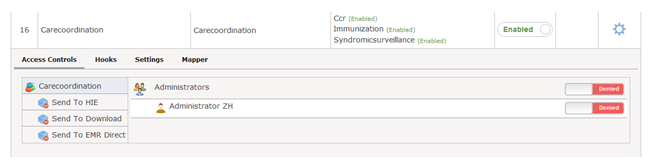
The Configuration comprises of a number of tabs which is explained in the following page
Note: If you do not find these sub tabs on your screen, it is because the EMR Administrator has not given you the rights to access the configuration of the Modules.