

Entering Charges From Smart Fee Sheet
When working with paper super bills user would need to create the encounter and then fill the fee sheet. To do this single encounter user can use the Fee Sheet button on the Advanced Billing under Billing Manager.
Enter the required information to create the encounter in the fields shown above. Once done click on Save button shown below-
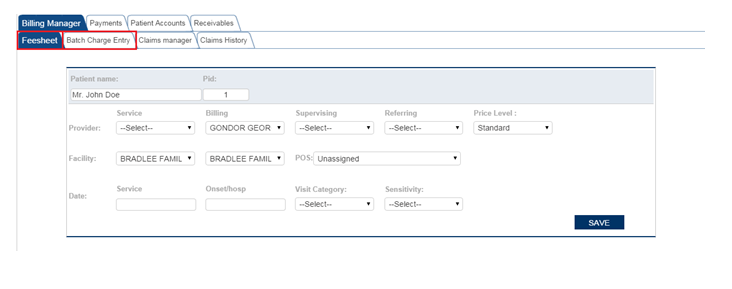

This will create the encounter for that date of service for the patient and bring up the Fee Sheet as shown below. Enter the relavant information like CPT, Diagnosis etc to complete the Fee Sheet and hit Save.
Once all the required field for the encounter/claim are entered. It can be queued for submiting to insurance by clicking onSubmit button.