Getting to the Module
Once you are logged in to a patient Face Sheet as shown in the below screenshot, you next step is to start entering the patient note. 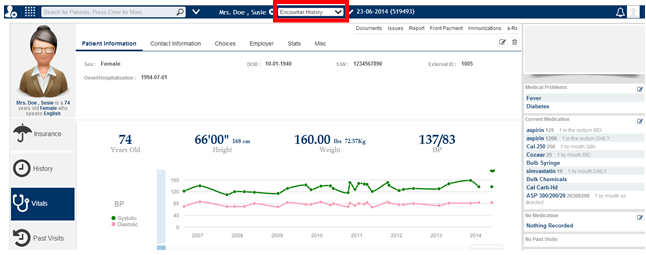 Create an encounter for the days visit by clicking New Encounter from the Encounter History drop down.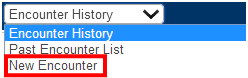
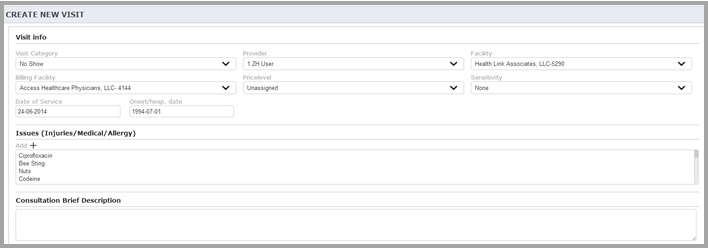 You need to start entering the following fields once you click on the New Encounter.
- Visit Category
- Provider
- Billing Facility (if required)
- Price Level
- Sensitivity
- Date Of Service
- Onset/Hospitalization Date
You also have an option to add issues like Injuries/Medical/Allergies which gets reflected in the widgets of patient Face Sheet. By clicking Add + you can start entering the issues.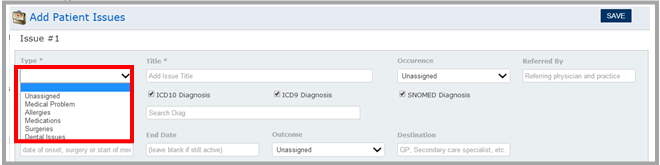 Enter the following fields while you record a patient issue:
- Type Of Issue
- Suitable Title
- Occurence
- Referred Physician Name
- Diagnoses Code
- Begin Date
- End Date
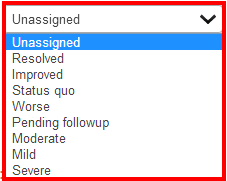
- Outcome
- Destination3 You also have an option to give a brief description regarding the visit of the patient.
 Once these fields have been updated, click ‘SAVE’ so that a new encounter is being created for the patient.