Settings
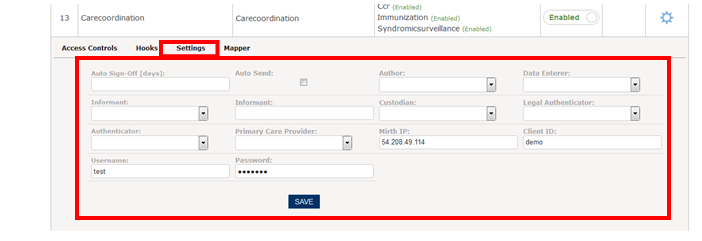
- Auto Sign-Off (Number of days in which the encounter should be automatically signed off from the date of creating the encounter.)
- Auto Send: The CCDA documents will be send automatically once auto send is selected
- Author: This represents the creator of the clinical document. The information entered is from his or her knowledge or application of skills. Thus we use the term “Author”. The authenticator identifies the participant who attested to the accuracy of the information in the document.
- Data Enterer: The ‘data enterer’ is the person who transferred the information from other sources into the clinical document, where the other sources wrote the content of the note. At time, both the author and the data enterer can be the same person.
- Custodian is the keeper of the clinical document.
- Recipient: When used in the context of a reference or request for consultation, this records the intended recipient of the information at the time the document is created.
- Legal Authenticator: identifies the legal authenticator of the document and must be present if the document has been legally authenticated. Based on local practice, clinical documents may be released before legal authentication.
- Authenticator: The authenticator identifies the participant who attested to the accuracy of the information in the document.
The preloaded drop-down information populates for each of the session. E.g. Author is linked to the address book under Miscellaneous Tab in the left navigation menu as shown in the below screen shot.
Note: The user should make sure that the information entered along each fields in the settings tab is correct in order to send the CCDA document.
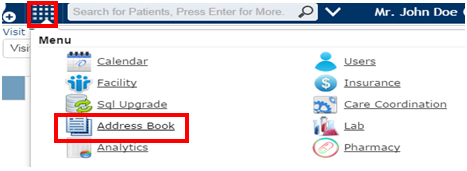
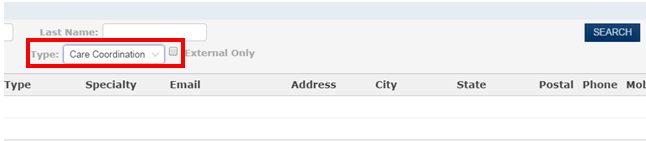
Upon selecting the Address Book, the below screen populates in which the user needs to select the Care Coordination module as the type and click search. As shown below, this lists all the entries under the category Care Coordination Module.